
Register and Login to 77KK In Bangladesh
Creating a 77KK account is quick and simple, allowing users in Bangladesh to access the platform within minutes. The registration process only requires a valid mobile number and a secure password, making it suitable for both new and experienced users. Once your account is created, you can explore the platform, manage your profile, and use local payment methods like bKash, Nagad, and Rocket for convenient transactions. Whether you are signing up for the first time or returning to your account, 77KK offers a smooth and user-friendly experience.
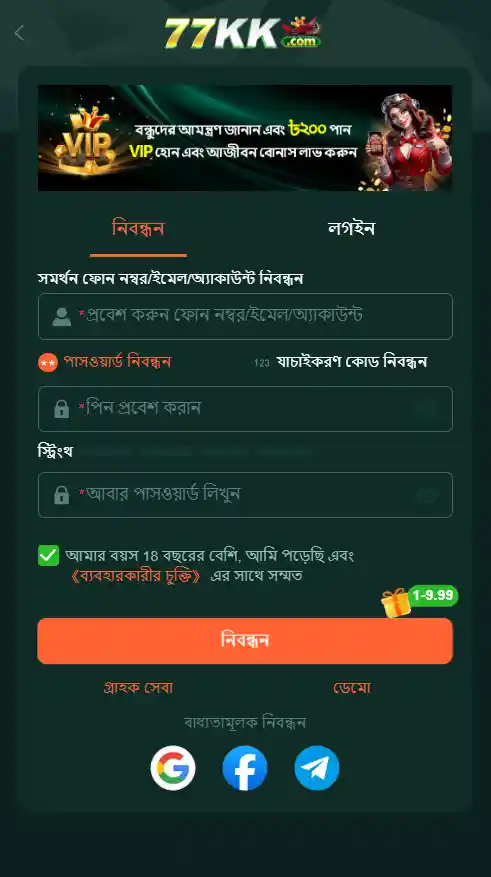
How to Register Your 77KK Account
- Download the latest 77KK APK from the official website.
- Install the application and open it on your Android device.
- Tap the Register or Sign Up button.
- Enter your active Bangladeshi mobile number.
- Create a strong password and confirm it.
- Enter the OTP verification code if requested.
- Accept the terms and conditions.
- Tap Register to complete the account creation process.
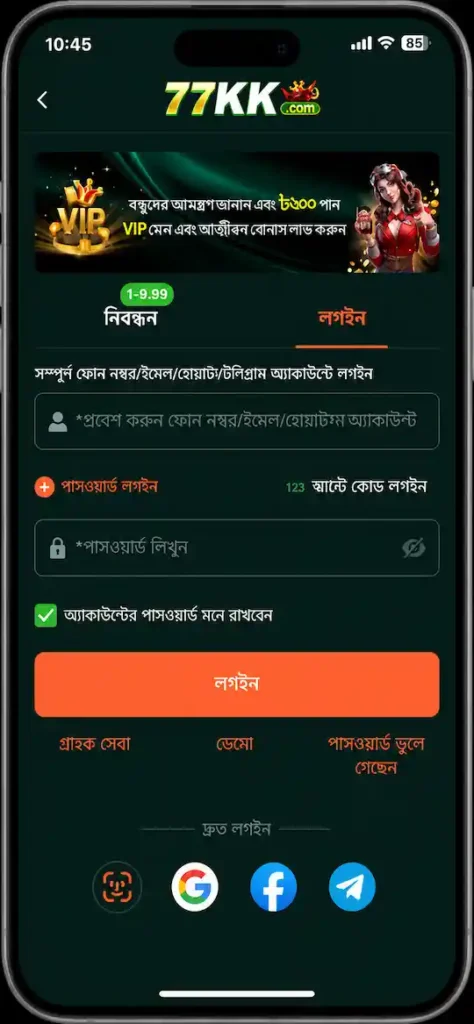
How to Log In to 77KK
- Launch the 77KK app.
- Tap the Login button.
- Enter your registered mobile number.
- Type your account password.
- Press Login to access your account.
- Enable fingerprint or biometric login if the feature is available for faster future access.
Common Registration and Login Issues
OTP Not Received
- Wait a few minutes and request a new OTP.
- Check that your mobile number is entered correctly.
- Ensure your SIM card has network coverage.
Forgot Your Password
- Tap Forgot Password.
- Verify your registered mobile number.
- Create a new password using the verification code.
Login Failed
- Confirm that your mobile number and password are correct.
- Update to the latest version of the app.
- Clear the app cache and try again.
App Is Not Opening
- Restart your phone.
- Check for available app updates.
- Reinstall the latest version if the problem continues.
Frequently Asked Questions
How do I create a 77KK account?
Download the latest APK, open the app, tap Register, enter your mobile number, create a password, complete OTP verification if required, and submit the registration form.
Can I log in on another device?
Yes. Simply install the app on your new device and log in using your registered mobile number and password.
What should I do if I don’t receive the OTP?
Check your network connection, verify your phone number, wait a few minutes, and request another OTP if the option is available.
Can I reset my password?
Yes. Use the Forgot Password option on the login screen and follow the verification steps to create a new password.
Is an internet connection required?
Yes. A stable internet connection is required for registration, login, and using the platform’s online features.